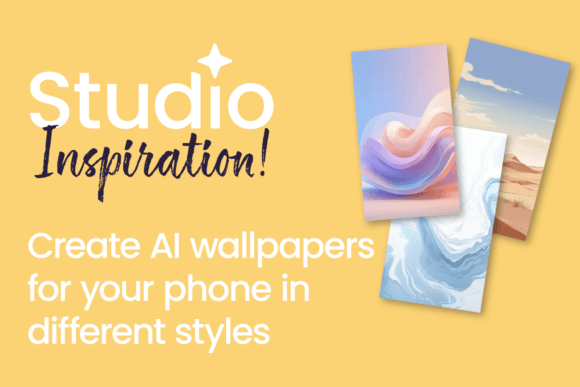
Create Custom AI Phone Wallpapers with Flow
Transform your phone with stunning custom wallpapers designed using Flow AI in Studio! This tutorial will guide you through the process of creating one-of-a-kind wallpapers that reflect your unique style. Whether you prefer bold graphics, serene landscapes, or abstract art, Flow AI provides the tools to bring your creative vision to life, directly impacting your daily visual experience and brand interaction.
Elevating Personal and Brand Aesthetics
In the realm of graphic design, the smallest details often carry the most weight. A custom wallpaper is not merely a background; it is a statement of visual identity. For professionals, this means aligning every digital touchpoint with a cohesive brand strategy. By using Flow AI to generate these assets, designers and business owners can ensure that even a personal device reinforces a specific color palette and modern aesthetic. This level of attention to detail demonstrates a commitment to quality that clients and collaborators notice immediately.
Practical Applications for Visual Design
The utility of AI-generated imagery extends far beyond personal customization. High-resolution, unique backgrounds created in Flow AI can serve as foundational elements for various creative projects. Consider how these generated visuals can enhance your workflow across multiple platforms:
- Social Media Graphics: Use generated textures or patterns as backdrops for Instagram stories or LinkedIn banners to maintain visual hierarchy.
- Website and UI Design: Create hero images or section dividers that are unique to your site, avoiding generic stock photo libraries.
- Presentation Design: Replace standard corporate templates with dynamic, AI-assisted backgrounds that capture audience attention during pitches.
- Packaging Design: Extract specific color gradients or abstract shapes to use as accent elements on physical product packaging.
- Editorial Layouts: Generate atmospheric imagery for magazine headers or blog post features that complement your typography.
Mastering the Design Elements
To maximize the impact of your creations, focus on the fundamental principles of visual design. When you create custom AI phone wallpapers with Flow, you are engaging in a rapid form of digital art direction. Here are key factors to consider for a professional result:
- Visual Hierarchy: Ensure the design elements guide the viewer's eye without overwhelming the functional icons on a phone screen. Negative space is crucial here.
- Color Theory: Select a color palette that evokes the desired emotion. Cool tones often suggest professionalism and calm, while high-contrast warm tones convey energy.
- Scalability: Design with high resolution in mind so the image remains crisp on various devices, from mobile phones to desktop monitors.
- Brand Consistency: If designing for a business, incorporate brand colors and motifs subtly to strengthen brand identity without being intrusive.
Streamlining Your Design Workflow
Efficiency is a hallmark of a skilled designer. Flow AI accelerates the design workflow by handling the complex rendering of textures, lighting, and composition. This allows you to focus on the conceptual side of creative projects. Instead of spending hours sourcing the perfect stock image or manually painting digital textures, you can generate high-quality creative assets in minutes. This rapid iteration is invaluable for meeting tight deadlines in digital marketing campaigns or fast-paced content creation environments.
Ultimately, the goal of any design tool is to bridge the gap between imagination and execution. By integrating AI into your process, you unlock new possibilities for design inspiration and originality. Whether you are refining a brand identity or simply personalizing your device, the ability to craft bespoke visuals ensures your work remains distinct, memorable, and perfectly aligned with your professional standards.