Mastering Sublimation Design: A Practical Guide for Creators
Imagine transforming a simple digital file into a vibrant, permanent design that wraps seamlessly around a mug, stretches across a t-shirt, or covers an entire phone case. This is the magic of sublimation printing, and understanding how to create a design for sublimation is a game-changer for any designer or creator looking to produce stunning, professional-grade physical products.
What is Sublimation Design and Why Does It Matter?
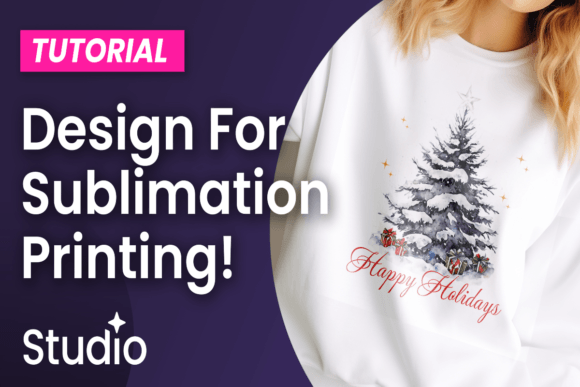
Sublimation is a digital printing technique where heat and pressure transfer dye onto materials like polyester, ceramic, or metal. Unlike traditional printing that sits on top, the ink becomes part of the substrate, resulting in incredibly durable, photo-quality images that won't crack, peel, or fade. For graphic designers, this opens a world of possibilities for creating branded merchandise, custom home decor, and unique promotional items with exceptional visual impact and longevity.
In the context of modern branding and visual communication, mastering sublimation design elevates your creative projects. It allows for full-color, edge-to-edge printing with photographic detail, making it ideal for intricate patterns, complex gradients, and vibrant color palettes that truly capture attention. This technique directly supports a cohesive brand identity across physical touchpoints, enhancing user engagement and the perceived value of your products.
Key Principles for Effective Sublimation Files
Creating a successful sublimation design hinges on a few core graphic design principles, adapted for this unique medium. Your design workflow must prioritize clarity and technical precision to ensure the final product matches your vision.
- Resolution is Paramount: Always design at a high resolution, typically 300 DPI or higher, at the final print size. This ensures sharp, crisp details and prevents pixelation in the final output.
- Color Mode Matters: Work in CMYK color mode from the start. While your screen displays RGB, sublimation printers use CMYK inks. Designing in CMYK helps you predict color accuracy and avoid disappointing shifts between your digital mockup and the printed product.
- Embrace the Bleed: Sublimation requires full-bleed designs. Extend your background and any critical design elements at least 0.125 inches beyond the cut line to prevent unprinted white edges on your final product.
- Visual Hierarchy & Composition: Even on a curved mug or a contoured shirt, fundamental design rules apply. Use clear visual hierarchy to guide the viewer's eye. Ensure your composition works with the product's shape—consider how a logo might wrap or how text aligns on a curved surface.
Practical Applications Across Creative Fields
The versatility of sublimation design integrates seamlessly into numerous professional applications, enhancing both aesthetics and communication.
- Branding & Merchandise: Create cohesive brand identity kits with custom apparel, drinkware, and accessories. A well-designed sublimated product becomes a walking advertisement that reinforces brand recognition.
- Marketing & Advertising: Produce eye-catching promotional items for campaigns, trade shows, or client gifts. The durability and visual quality make these materials stand out in a crowded market.
- Social Media & Digital Marketing: Design and photograph your unique sublimated products for compelling social media graphics and content. The tactile, high-quality result translates beautifully to screen, showcasing your design skills and product offerings.
- Packaging & Editorial Design: Explore sublimation for specialty packaging, book covers, or limited-edition prints where a premium, tactile finish is desired to enhance the unboxing experience or reader engagement.
Tips for Selecting and Evaluating Your Design Assets
When building your sublimation design library, quality and compatibility are key. Select creative assets—such as seamless patterns, illustrations, or typography solutions—that are optimized for print. Evaluate them for scalability, ensuring they look good at various sizes. Consider the color palette's vibrancy and how it will reproduce on different substrates. A thoughtful selection process, aligned with your design goals and audience expectations, saves time and elevates the final result.
Typography plays a crucial role; choose fonts that are legible at the intended scale and complement the overall visual style. Pay attention to kerning and leading, especially for small text on products like pens or jewelry. The interplay of imagery, color, and type should create a balanced, professional presentation that communicates effectively and delights the end-user.
By integrating these practical insights into your workflow, you can harness the full potential of sublimation. It’s more than a printing method; it’s a powerful tool for bringing graphic design concepts into the physical world with unparalleled quality and creativity. Thoughtful design choices, supported by the right techniques and assets, transform ordinary objects into extraordinary pieces of visual communication that strengthen brands and captivate audiences.